
All the benefits of leave management by Compete HR
With the Leavedays module by Compete HR, leave registration is simple, efficient and fully tailored to your organisation. Our leave registration app gives employees and managers a clear, user-friendly way to manage, approve and record leave requests. The tool is always available, anywhere, in the web browser and on your smartphone, so you stay in control of every leave process in your company.
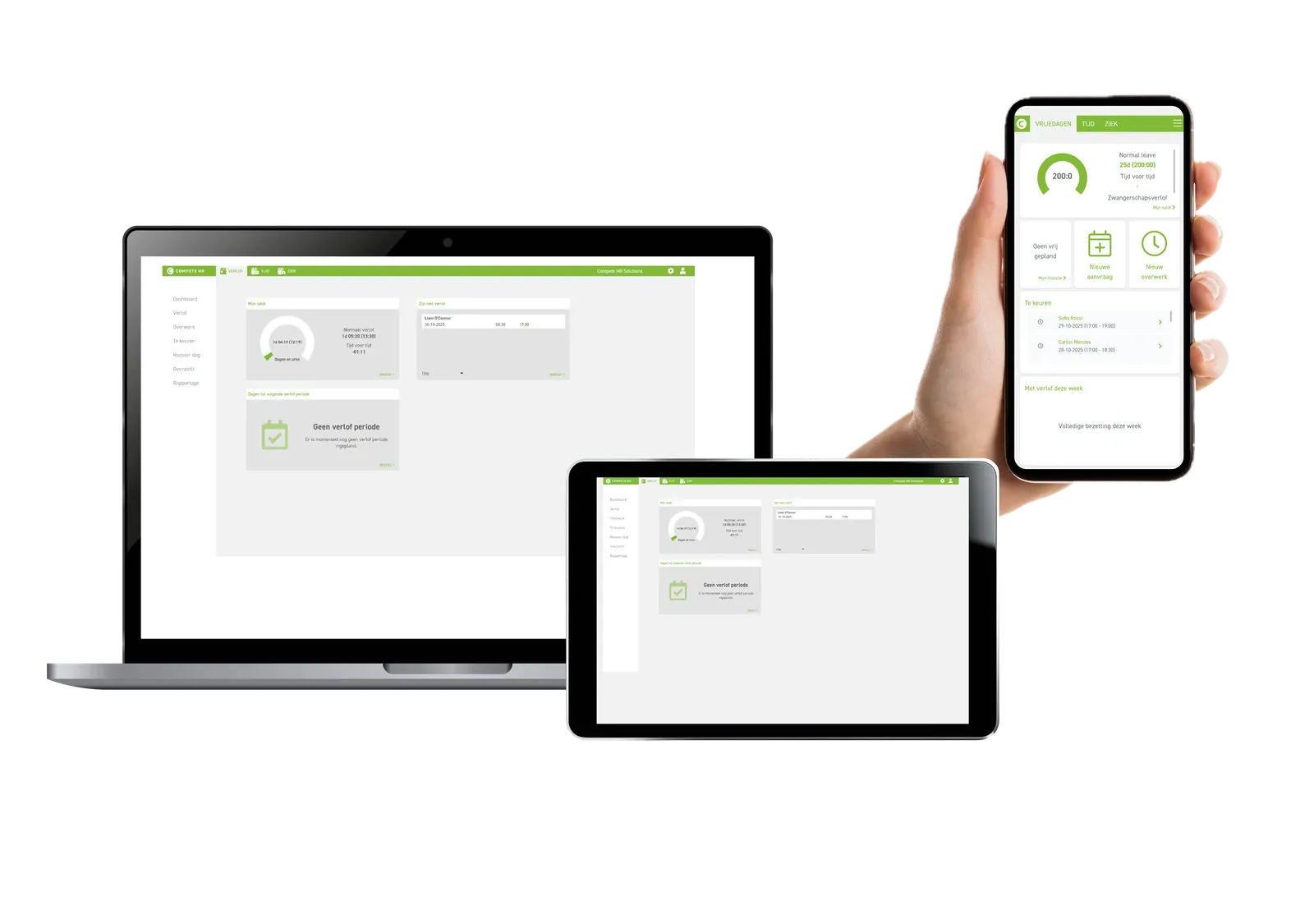
Leavedays is the HR solution for recording leave, sickness absence and hours worked.
Leave requests and balance overview
Employees can check their leave balance online and request leave straight away. The system gives managers insight into current staffing levels, which makes assessing requests easier. The system can also be configured for different types of contract and offers extensive reporting.
Smart authorisation
Flexible authorisation settings let several managers assess requests. Employees see exactly who has already assessed their request and who has not.
Overtime registration
Besides leave, overtime is easy to record as well. Overtime rules and compensation percentages are fully configurable. Choose time off in lieu or direct payment: the module adapts to your needs.
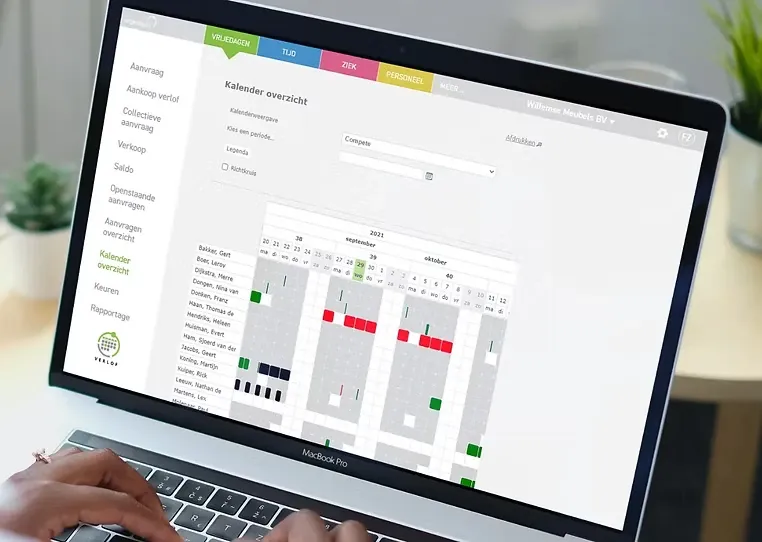
The all-in-one solution for leave registration
Registration of time, leave, overtime and absence. Extensive reporting and integrations with other systems.
A unique link between leave and time registration, complemented by overtime and absence registration and other systems.
Leavedays specialises in leave and time registration. This lets you see both attendance (time registration) and absence (leave registration), now and in the near future, in one system. You can also record sickness absence and overtime clearly in the same application.
Our reports are quick to retrieve and give real-time or periodic information. View them directly with a report button or export them in CSV format.
Want to work even faster? Use our API to connect to the other systems you use.
Interested? Request a demonstration without obligation. We will gladly tell you more about the possibilities and, if you wish, make you a suitable offer.
Start with Leavedays!
A user-friendly employee self-service application
Make it easy for yourself and your colleagues
As the person responsible for HR, you set the framework in which employees and managers operate. You don't have to do this alone. Our consultants have years of experience with how to do this best, and they help with the implementation. No more lists to keep up to date: it happens automatically. No more leave slips. Employees request their leave digitally, on the computer or on their smartphone. Managers see an employee's request and the staffing of the rest of the department at a glance. This considerably shortens the lead time and reduces the workload for everyone involved.
Start with Leavedays!
Your days off and your department's staffing in your pocket
Use Leavedays on your PC, laptop or tablet
Leavedays has always been available on your mobile phone. 99% of leave requests don't start at the office or during working hours, but at home with your family or out with friends. So why request leave at the office when you can do it anywhere? With the Leavedays leave tool you have your balance and your department's staffing at hand at a glance, and you can decide straight away when you could take leave. Requesting leave has never been easier!
Managers can approve and reject leave in the app, and report employees sick. As a manager you often get a call in the morning while you are still on your way or have just arrived. With the Leavedays leave tool you report an employee sick, and back to work, in no time.
Start with Leavedays!
Save time and money with leave management
Goodbye to those awkward spreadsheets
Requesting and approving leave seems like a small, stand-alone task, and that is how it should be. But there is more to it. The balances of the employees' different leave types have to be updated and made available to both the employees and the manager. Before approving leave, the manager wants to check the rest of the staffing. Once leave is approved, HR has to be informed and the rest of the department has to be able to see it. HR updates the new balance and may pass it on periodically to the payroll or accounting department.
An average employee has 25 days of holiday and makes 6 requests a year, on top of doctor's appointments, special leave, ATV days and other leave requests. Research shows that an HR employee spends 3 hours per employee per year administering leave days. If you work with leave slips, add almost an hour per employee. Then add the time the employee and the manager spend on it.
All in all, there is a lot to save by automating the process and making it transparent. Leavedays has been optimising this process for more than 20 years.
Start with Leavedays!
More than 20 years of experience in HR
With more than ten years of experience, the Leavedays team is familiar with many different collective labour agreements and regulations.
Over the years we have continuously optimised and improved our leave and time registration solutions. Thanks in part to regulations and input from our customers, we integrate a broad range of solutions into an easy-to-use application that can be extended module by module. After 10 years of development we are always open to suggestions and customer requests, and we look at each case to see whether it can benefit all users.
Our support team answers questions and solves possible problems quickly.
We set high standards for the availability and security of your data.
Multilingual as standard
Our customers grow, and we grow with them. For several years now our application has been available in several languages. A French-speaking colleague, for example, can work in their own language. Everyone works in the same application with the same information; only the interface language is set by each user.
If a language is missing, we can add it.